
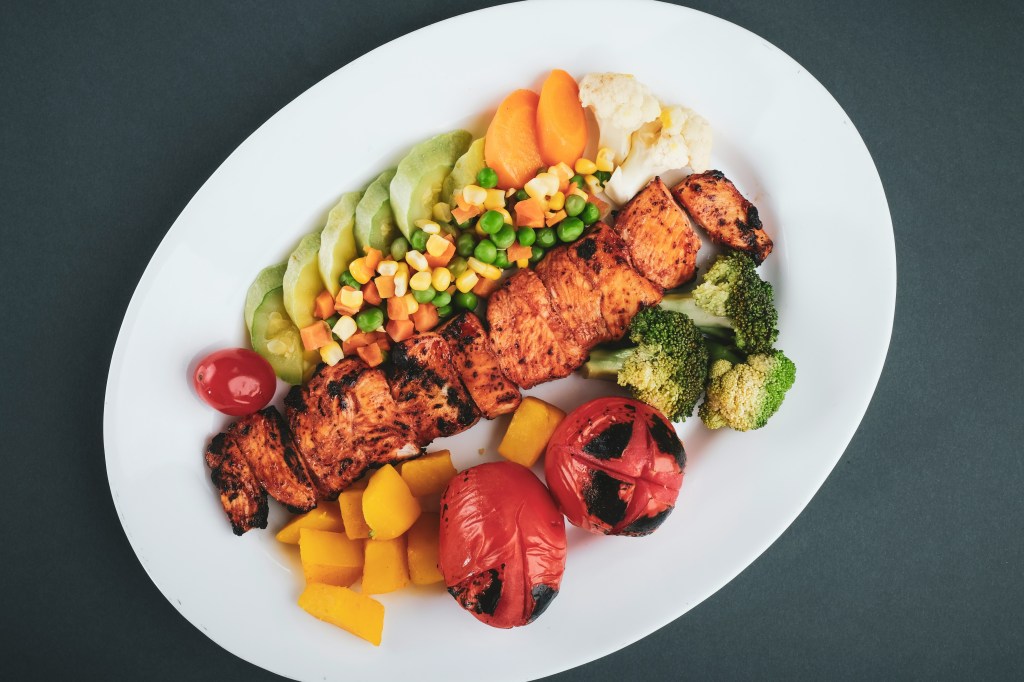
The Paleo diet is designed to mimic the eating habits of our ancestors, focusing on whole, unprocessed foods like lean meats, seafood, fruits, vegetables, nuts, and healthy fats. It eliminates processed foods, grains, dairy, legumes, and refined sugar.
While the Paleo diet encourages clean eating, it doesn’t necessarily control calorie intake—which is why many people wonder:
📌 Should you track calories on a Paleo diet?
📌 How do you accurately log your meals when eating whole foods?
Even though Paleo emphasizes quality over quantity, calories still play a major role in weight loss, muscle gain, and overall health. If you’re struggling with results, tracking your calories while following a Paleo lifestyle could be the missing key.
This guide will show you exactly how to track calories on a Paleo diet and how Calorie Counter by NutriSnap can make it simple.
Do Calories Matter on a Paleo Diet?
A common belief among Paleo followers is that as long as you eat natural, whole foods, calorie counting is unnecessary. While the quality of food is crucial, the quantity of food still impacts weight management.
🔹 To lose weight: You need a calorie deficit (burn more than you consume).
🔹 To gain muscle: You need a calorie surplus (eat more than you burn).
🔹 For maintenance: Your intake should match your Total Daily Energy Expenditure (TDEE).
Even though the Paleo diet is made up of nutrient-dense foods, some of its staple ingredients—like nuts, oils, and fatty meats—are calorie-dense and can lead to overeating without realizing it.
This is where tracking calories can be a game-changer.
Step 1: Identify Paleo-Approved Foods & Their Calories
To accurately track your calories, you first need to understand the calorie content of Paleo-friendly foods.
Common Paleo Foods & Their Calories (Per 100g)
✅ Protein Sources (Lean & Unprocessed Meats):
- Chicken breast – 165 calories
- Grass-fed beef – 250 calories
- Salmon – 208 calories
- Pork chops – 231 calories
- Eggs – 143 calories (per egg ~70 calories)
✅ Healthy Fats:
- Avocado – 160 calories
- Almonds – 579 calories
- Coconut oil – 862 calories (per tbsp ~120 calories)
- Olive oil – 884 calories (per tbsp ~120 calories)
- Macadamia nuts – 718 calories
✅ Carbohydrates (Fruits & Vegetables):
- Sweet potatoes – 86 calories
- Bananas – 89 calories
- Broccoli – 55 calories
- Blueberries – 57 calories
- Cauliflower – 25 calories
📌 Tip: Use Calorie Counter by NutriSnap to log Paleo ingredients and get precise calorie counts instantly.
Step 2: Weigh & Measure Your Food for Accuracy
Since the Paleo diet relies on whole foods, accurate portion control is essential.
Here’s how to track Paleo portions correctly:
✔ Use a food scale – Weigh proteins, nuts, and high-fat foods for precision.
✔ Measure oils and fats carefully – A small miscalculation in oils or nut butters can add 100+ extra calories.
✔ Control fruit intake – While natural, too much fruit can lead to excess sugar and calories.
Example: Tracking a Paleo Meal Accurately
If you’re preparing a grilled salmon with roasted sweet potatoes and avocado salad, weigh each ingredient separately before cooking:
- Salmon (150g) → 312 calories
- Sweet potatoes (100g) → 86 calories
- Avocado (50g) → 80 calories
- Olive oil (1 tbsp) → 120 calories
📌 Total Calories: 598 kcal
💡 Tip: Log individual ingredients into Calorie Counter by NutriSnap to ensure you stay on track.
Step 3: Use a Calorie Tracking App Like Calorie Counter by NutriSnap
Tracking your meals manually can be time-consuming, but Calorie Counter by NutriSnap makes it effortless:
✅ Built-in whole food database – Easily find Paleo-approved foods.
✅ Recipe builder – Input your favorite Paleo meals and save them.
✅ Portion control customization – Log exact serving sizes for better accuracy.
✅ Macro tracking – Ensure you’re hitting your ideal protein, fat, and carb balance.
📌 Tip: Save your most common meals to speed up tracking throughout the week.
Step 4: Balance Your Macros for Paleo Goals
The Paleo diet isn’t inherently “low-carb” or “high-fat”—your macronutrient breakdown should match your specific health goals.
For Fat Loss (Calorie Deficit):
✔ Increase protein (lean meats, fish, eggs) to stay full longer.
✔ Watch fat intake (nuts, avocado, coconut oil) as they are calorie-dense.
✔ Limit high-sugar fruits (dates, bananas) to avoid excess calories.
For Muscle Gain (Calorie Surplus):
✔ Prioritize protein (grass-fed beef, salmon, chicken) for muscle repair.
✔ Boost carbs (sweet potatoes, plantains, berries) for energy.
✔ Increase healthy fats (olive oil, avocado) to hit a surplus without excess carbs.
📌 Tip: Use Calorie Counter by NutriSnap to set custom macro goals for fat loss or muscle building.
Common Mistakes to Avoid When Tracking Calories on Paleo
🚫 Forgetting to log cooking oils – 1 tbsp of olive oil = 120 calories.
🚫 Overeating nuts – A small handful of almonds = 200+ calories.
🚫 Too much fruit – While natural, fruit sugar still counts toward total intake.
🚫 Not adjusting calories over time – If weight loss stalls, double-check portions.
📌 Tip: Log everything you eat for a few days to identify hidden calorie sources.
Final Thoughts: Make Paleo Calorie Tracking Easy
✅ Calories still matter on Paleo, especially for weight loss or muscle gain.
✅ Weigh & measure food for better accuracy.
✅ Use a tracking app like Calorie Counter by NutriSnap to simplify the process.
✅ Balance macros based on your personal fitness goals.
✅ Plan ahead by prepping meals and tracking in advance.
By combining the Paleo lifestyle with smart calorie tracking, you can reach your fitness goals while eating clean, nutrient-dense foods.
📌 Start tracking your Paleo meals today with Calorie Counter by NutriSnap and take full control of your health journey!
 NutriSnap
Leave a comment