
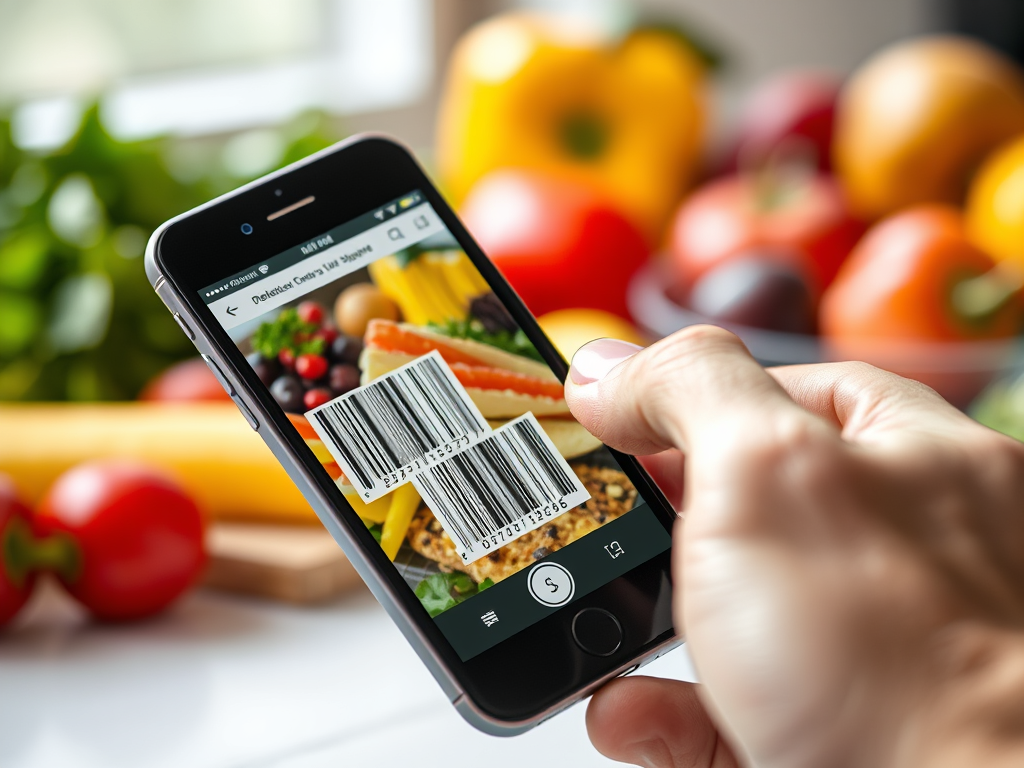
Let’s face it — nutrition labels can be confusing. Between serving sizes, unfamiliar ingredients, and percentages you don’t fully understand, it’s easy to feel overwhelmed. But what if you could decode all that information in seconds with just a scan?
Enter the barcode scanner in Calorie Counter by NutriSnap — your shortcut to understanding exactly what’s in your food. In this guide, we’ll break down how to use it, what it tells you, and how it helps you make informed choices without spending hours reading labels.
🏧 What Is Barcode Scanning in NutriSnap?
Barcode scanning is one of the fastest and most accurate ways to log packaged foods. Using your phone’s camera, NutriSnap instantly reads the product barcode and pulls up detailed nutritional information from a verified global food database.
How It Works:
- Open the Calorie Counter by NutriSnap app.
- Tap the barcode icon on the logging screen.
- Point your camera at the product barcode.
- NutriSnap retrieves the nutrition facts, ingredients, serving size, and calorie data.
Boom — done in seconds!
🔍 What the Nutrition Label Tells You (And What to Watch For)
Once you scan, here’s what to look for in the breakdown NutriSnap shows:
1. Calories per Serving
- Most packages list calories per serving, not per package.
- NutriSnap adjusts based on serving size you actually consume.
2. Serving Size vs. Portion Size
- The label might say “1 cup,” but you may eat more or less.
- NutriSnap helps you customize portion sizes to reflect your real intake.
3. Macronutrients
- Protein, Carbs, Fats: NutriSnap shows grams per serving and total percentages.
- Watch for hidden sugars under carbs!
4. Micronutrients
- Sodium, Fiber, Calcium, Iron, and more.
- NutriSnap shows how these contribute to your daily needs.
5. Ingredients List
- The fewer and simpler the ingredients, the better.
- NutriSnap flags certain additives and high-sugar content.
6. % Daily Values (%DV)
- With Nutrisnap, these percentages are tailored to your daily calorie needs. (If you’re not using the app, they’re usually based on a standard 2,000-calorie diet.)
- NutriSnap helps personalize recommendations to your goals — weight loss, maintenance, or muscle gain.
✨ Why Barcode Scanning Is Better Than Manual Logging
| Feature | Manual Logging | NutriSnap Barcode Scanning |
|---|---|---|
| Speed | Slower | ✅ Instant |
| Accuracy | Risk of typos or wrong entry | ✅ Verified food data |
| Convenience | Tedious | ✅ One tap scan |
| Insight | Basic info | ✅ Full label breakdown + analysis |
🤝 Best Practices for Scanning Labels
- Scan before opening to ensure the barcode is intact.
- Double-check serving size if you’re consuming more or less than stated.
- Save frequently eaten foods to your favorites for even quicker logging.
- Compare products by scanning multiple options while shopping.
- Use barcode scanning at home AND in stores to make smart choices before you buy.
🚀 Level Up Your Nutrition IQ with NutriSnap
Using the barcode scanner isn’t just about speed — it’s about understanding your food. You’ll become more aware of:
- Hidden sugars
- Sneaky sodium levels
- Ingredient quality
- Portion awareness
The result? You become a smarter eater without needing a degree in nutrition.
And because NutriSnap pulls from only verified databases (no inaccurate user entries), you get reliable info every time.
📊 Start Scanning Smarter Today
If you’re still squinting at small text on packaging or guessing what’s “healthy,” it’s time to upgrade. With Calorie Counter by NutriSnap, you decode labels in a snap — and log your meals with confidence.
Download NutriSnap today to start scanning, learning, and taking control of your nutrition the smart way.
 NutriSnap
Leave a comment